 PETIRS
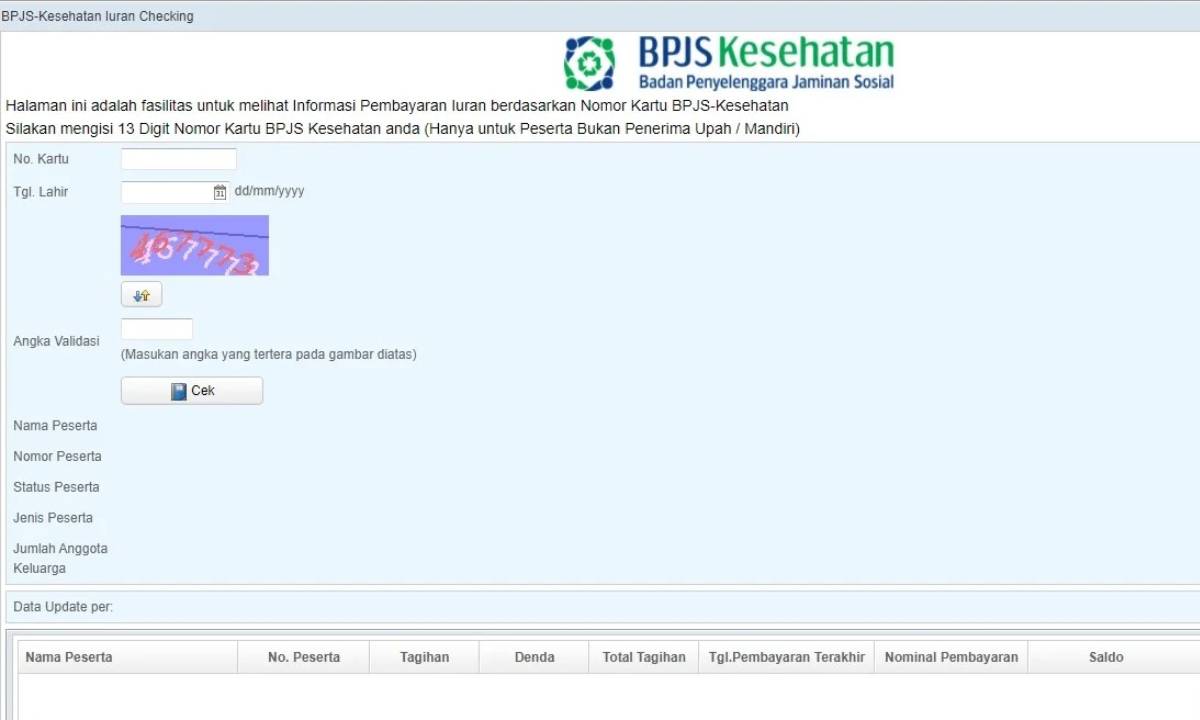
Sobat IT RS, siapa yang nggak pernah pusing lihat data pasien “aneh-aneh” di SIMRS? Ada NIK kurang digit, nomor BPJS ngaco, pasien nulis “-” atau “1234567890” di kolom penting, bikin klaim dan laporan kacau balau. Ngurusin data sampah kayak gini bikin darah tinggi tiap awal bulan, apalagi pas rekap BPJS. Nah, mari kita bedah gimana cara validasi input NIK & BPJS pas pendaftaran online supaya data nggak jadi “sampah” lagi. Kita bakal bahas validasi format (algoritma), sampai verifikasi ke server Dukcapil/BPJS.
Kenapa Data NIK & BPJS Sering Error di SIMRS
- Pasien ngetik asal (NIK kurang, salah, typo, nomor BPJS ngawur)
- Staff entry manual, buru-buru/asal copas dari KTP/KK fotokopian
- Formulir online nggak ada validasi sama sekali (asal submit, langsung masuk DB)
- Validasi cuman cek “wajib diisi”, nggak cek format atau ke server eksternal
- Pasien pakai data milik orang lain (minjem BPJS)
Akibatnya? Data pasien dobel, gagal klaim, hard reject kolosal pas upload ke PCare, bridging BPJS, atau aplikasi di-stack error. Data cleaning bulanan jadi makin ngeri.
Step Validasi Input NIK & BPJS yang Bener
Validasi input = filter data dari dua sisi:
- Validasi format (client-side & server-side): Cek pola digit, rumus, checksum, dll.
- Verifikasi external (API Dukcapil/BPJS): Cek valid/tidak ke sumber resmi (Dukcapil, Dapen, BPJS Kesehatan).
1. Validasi Format NIK (Nomor Induk Kependudukan)
- NIK = 16 digit angka
- Tiap digit punya arti: 6 digit kode wilayah, 6 digit tanggal lahir + bulan + tahun, 4 digit nomor urut
Format regex simpel:
/^\d{16}$/Contoh valid: 3174091505890001
Trik validasi cepat (server-side, misal di PHP):
$nik = $_POST['nik'];
if (!preg_match('/^\d{16}$/', $nik)) {
    die("Format NIK salah");
}
Untuk validasi deeper, bisa cek juga tanggal lahir (digit 7-12), pastikan tanggal valid:
- Digit 7-8: tanggal lahir (perempuan +40)
- Digit 9-10: bulan lahir
- Digit 11-12: tahun lahir (dua digit terakhir)
Contoh ekstrak tanggal lahir dari NIK:
function parseTanggalLahirNIK($nik) {
    $tgl = (int)substr($nik, 6, 2);
    $bln = (int)substr($nik, 8, 2);
    $thn = (int)substr($nik, 10, 2);

    // Untuk perempuan, tanggal lahir ditambah 40
    if ($tgl > 40) {
        $tgl -= 40;
        $gender = 'Perempuan';
    } else {
        $gender = 'Laki-laki';
    }
    return [
        'tanggal' => $tgl,
        'bulan' => $bln,
        'tahun' => $thn,
        'gender' => $gender
    ];
}
// Contoh pakai
$lahir = parseTanggalLahirNIK('3174095705890004');
// Output: ['tanggal'=>17, 'bulan'=>5, 'tahun'=>89, 'gender'=>'Perempuan']
Validasi tanggal di atas beneran valid? Gunakan checkdate($bln, $tgl, $thn) (di PHP), atau fungsi serupa di bahasa lain.
2. Validasi Format Nomor BPJS Kesehatan
- Nomor BPJS = 13 digit angka
- Format regex:
/^\d{13}$/
Contoh valid: 0002345678901
$bpjs = $_POST['no_bpjs'];
if (!preg_match('/^\d{13}$/', $bpjs)) {
    die("Format nomor BPJS tidak valid");
}
Note: BPJS juga punya algoritma Luhn (seperti validasi kartu kredit), jadi bisa dipakai untuk deteksi typo digit.
Implementasi Luhn (PHP):
function luhnCheck($number) {
    $number = strrev($number);
    $total = 0;
    for ($i = 0; $i < strlen($number); $i++) {
        $digit = (int)$number[$i];
        if ($i % 2 == 1) {
            $digit *= 2;
            if ($digit > 9) $digit -= 9;
        }
        $total += $digit;
    }
    return ($total % 10) == 0;
}

if (!luhnCheck($bpjs)) {
    die("Nomor BPJS tidak valid (gagal luhn check)");
}
3. Validasi di Frontend (Javascript)
Biar pasien nggak buang waktu submit data salah, validasi di browser dulu:
- Cek pola digit dengan regex
- Nonaktifkan/disable tombol submit kalau format sudah jelas salah
- Live feedback (warna merah, tooltip error, dll)
document.getElementById('nik').addEventListener('input', function(e) {
    let nik = e.target.value;
    if (!/^\d{16}$/.test(nik)) {
        // Tampilkan warning
        e.target.style.borderColor = 'red';
    } else {
        e.target.style.borderColor = '';
    }
});
Verifikasi Langsung ke Server Dukcapil & BPJS
Format udah benar, tapi beneran data valid? Banyak NIK/BPJS “ngaco” tetep lolos format, tapi nggak terdaftar di Dukcapil/BPJS. Harus cek ke sumber aslinya.
1. Cara Cek NIK ke Dukcapil (Web Service)
Pemda/RS bisa akses web service Dukcapil (Disdukcapil Kemendagri). Biasanya harus MoU dulu, akses pakai user API key/token.
- RS request ke endpoint Dukcapil (SOAP/REST, tergantung setup Pemda/Kemenkes)
- Input: NIK
- Output: Data identitas (nama, alamat, tgl lahir, status hidup/meninggal)
Contoh request SOAP Dukcapil (simplifikasi):
<soapenv:Envelope xmlns:soapenv="http://schemas.xmlsoap.org/soap/envelope/"
                  xmlns:duk="http://dukcapil.kemendagri.go.id/dukcapil">
   <soapenv:Header/>
   <soapenv:Body>
      <duk:getPenduduk>
         <nik>3174091505890001</nik>
         <user>YOUR_USER</user>
         <password>YOUR_PASS</password>
      </duk:getPenduduk>
   </soapenv:Body>
</soapenv:Envelope>
Contoh respons:
<response>
  <nama>Joko Sumanto</nama>
  <alamat>Jl. Raya 123</alamat>
  <status>HIDUP</status>
</response>
Cek hasil: kalau status tidak “HIDUP” atau data tidak ada, langsung tolak. Jangan izinkan daftar dengan NIK ngaco.
2. Cara Verifikasi Nomor BPJS (PCare/Bridging BPJS API)
BPJS buka API untuk cek kepesertaan & data peserta. Akses perlu registrasi (Pcare, bridging VClaim, dsb).
- Input: nomor BPJS (atau NIK bisa juga, tergantung endpoint)
- Output: data peserta (nama, status aktif, tgl lahir, segmentasi)
Contoh endpoint VClaim v2.0:
GET https://new-api.bpjs-kesehatan.go.id:8080/new-vclaim-rest/Peserta/nokartu/{nomor_bpjs}/tanggal/{tgl}
Header:
X-cons-id: [cons_id]
X-timestamp: [timestamp]
X-signature: [HMAC signature]
user_key: [user_key]
Contoh hasil (JSON):
{
  "metaData": {
    "code": "200",
    "message": "OK"
  },
  "response": {
    "peserta": {
      "noKartu": "0002345678901",
      "nama": "Budi Hartono",
      "tglLahir": "1989-05-15",
      "sex": "L",
      "statusPeserta": {
        "kode": "0",
        "keterangan": "AKTIF"
      }
    }
  }
}
Kalau statusPeserta.kode != 0 atau keterangan != 'AKTIF', tolak pendaftaran. Bisa juga cek tgl lahir, nama, dsb, pastikan cocok dengan input pasien.
Proses End-to-End di SIMRS/Frontend
Skema umum:
- User input NIK/BPJS → validasi format di frontend (JS, HTML5 pattern, dst)
- Submit
- Server-side, ulangi validasi format (jangan percaya frontend)
- Panggil API Dukcapil/BPJS (async/jika butuh)
- Kalau response valid, simpan data ke DB. Kalau gagal, tampilkan pesan error.
Contoh Flow Kode (PHP/Laravel-style)
public function daftarPasien(Request $request) {
    $nik = $request->input('nik');
    $bpjs = $request->input('no_bpjs');

    // 1. Validasi format
    if (!preg_match('/^\d{16}$/', $nik)) {
        return response(['error' => 'NIK tidak valid'], 400);
    }
    if (!preg_match('/^\d{13}$/', $bpjs)) {
        return response(['error' => 'No BPJS tidak valid'], 400);
    }
    if (!luhnCheck($bpjs)) {
        return response(['error' => 'No BPJS gagal luhn check'], 400);
    }

    // 2. Verifikasi ke Dukcapil
    $dukcapil = $this->cekNIKDukcapil($nik);
    if (!$dukcapil || $dukcapil['status'] != 'HIDUP') {
        return response(['error' => 'NIK tidak ditemukan di Dukcapil'], 400);
    }
    // 3. Verifikasi ke BPJS
    $bpjs_peserta = $this->cekBPJS($bpjs);
    if (!$bpjs_peserta || $bpjs_peserta['statusPeserta']['kode'] != '0') {
        return response(['error' => 'Peserta BPJS tidak aktif'], 400);
    }
    // 4. Simpan data
    // ... insert pasien ke DB

    return response(['msg' => 'Pendaftaran sukses'], 200);
}
Contoh Struktur Tabel Pasien (SQL)
Struktur tabel tb_pasien minimal:
CREATE TABLE tb_pasien (
    id INT PRIMARY KEY AUTO_INCREMENT,
    nik CHAR(16) NOT NULL,
    no_bpjs CHAR(13),
    nama VARCHAR(100) NOT NULL,
    tgl_lahir DATE,
    ...
    UNIQUE KEY (nik),
    UNIQUE KEY (no_bpjs)
);
Set UNIQUE di kolom nik & no_bpjs supaya data dobel langsung ke-block di level DB (jangan cuma di aplikasi!).
Tips Anti Data Sampah Lainnya
- Lock field NIK/BPJS dari edit setelah simpan awal (kecuali ada workflow khusus perubahan, pakai approval)
- Logging semua perubahan field NIK/BPJS untuk audit trail (jaga kalau ada “main sulap”)
- Saat migrasi data lama, pakai script validasi masal sebelum insert ke DB baru
- Cek dan tolak data dummy kayak “1234567890123”, “0000000000000”, “9999999999999”
- Wajibkan form input dari pasien online pakai pengisian otomatis (autocomplete e-KTP, scan QR KTP, dsb kalau tersedia)
Studi Kasus Lapangan: Pendaftaran Online BPJS
RS X buka pendaftaran online via website. Pasien bisa daftar pake NIK & no BPJS. Awalnya, data pasien langsung masuk DB tanpa validasi. Efeknya:
- 20% data pasien punya NIK salah (15 digit, 17 digit, typo, dsb)
- 5% peserta BPJS status non-aktif, gagal verif waktu bridging klaim
- Staff harus verifikasi ulang manual ke Dukcapil/BPJS setiap hari
- Banyak pasien “duplikat” karena entry NIK beda-beda (typo 1 digit)
Setelah diterapkan validasi format + API Dukcapil/BPJS:
- Data pasien baru dijamin valid, klaim BPJS lancar
- Duplikasi pasien turun >90%
- Staff IT lebih fokus ke support, nggak pusing cleaning data
Kesimpulan Praktis
- Jangan percaya data input pasien mentah-mentah (baik offline maupun online)
- Wajib validasi format NIK (16 digit, tanggal lahir, dll) dan BPJS (13 digit, luhn check)
- Verifikasi ke Dukcapil & BPJS sebelum simpan ke DB
- Gunakan constraint/unique key di DB supaya nggak ada data dobel
- Implementasi validasi di frontend + backend (defense in depth, jangan cuma satu sisi)
Sekian tips lapangan biar pendaftaran online nggak lagi jadi ladang data sampah. Sobat IT RS mau share script validasi lain? Monggo komen di bawah, atau japri MinTIRS via PETIRS. Pokok e, jangan kasih kendor buat data ngaco!